PDF: https://github.com/academind/react-complete-guide-code/blob/13-class-based-cmp/slides/slides.pdf
- What and why
- Adding a Class-based Component
- Working with State and Events
- The Component Lifecycle
- Lifecycle Methods In Action
- Class-based Components & Context
What and why
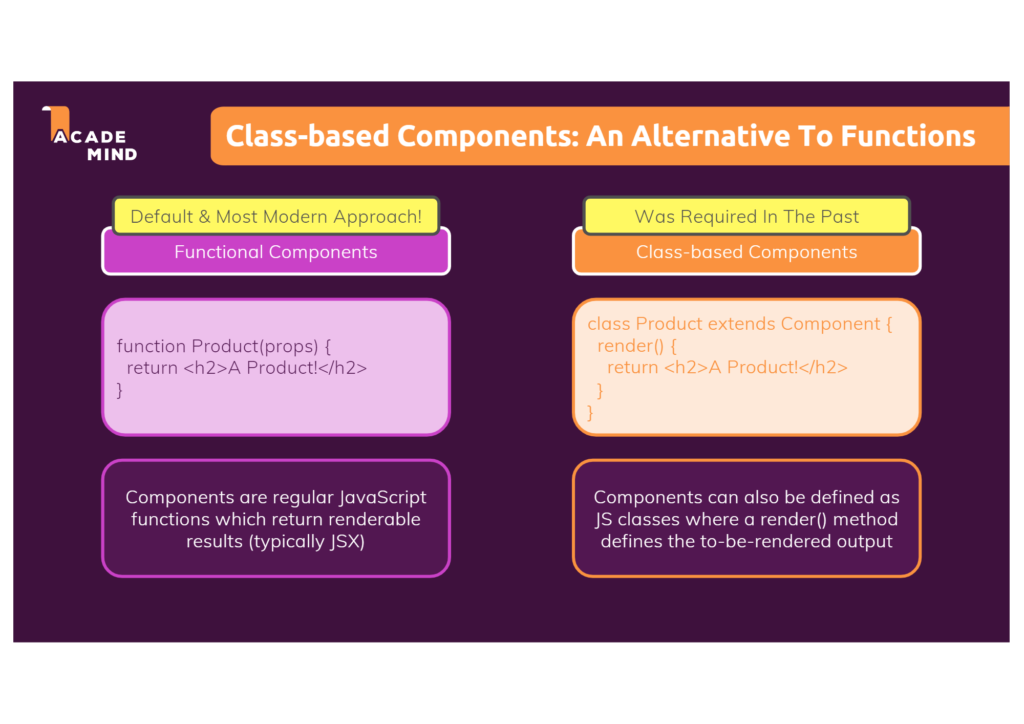
Class-based components in React are ES6 classes that extend the component class from React library. They offer more features than function components, including local state and lifecycle methods. However, with the introduction of hooks, React has made these feature available to function components, making class components less commonly used but still an important part of React.
Adding a Class-based Component
To create a class-based component, you’ll need to extend the component class from the React library. The render method is required in class-based components, and it determines what the component will render to the screen in the form of JSX
Here’s a simple example of a class-based component:
import React, { Component } from 'react';

class MyComponent extends Component {
  render() {
    return <h1>Hello World!</h1>;
  }
}

export default MyComponent;
Working with State and Events
Class-based components can have local state, which is an object that holds some data that may change over time and affect the component’s rendering. You can update the state with the setState method, which trigger a re-render of the component
Here’s an example of a class-based component with state:
import React, { Component } from 'react';

class MyComponent extends Component {
  constructor(props) {
    super(props);
    this.state = {
      count: 0
    };
  }

  handleClick = () => {
    this.setState({ count: this.state.count + 1 });
  }

  render() {
    return (
      <div>
        <p>You clicked {this.state.count} times</p>
        <button onClick={this.handleClick}>
          Click me
        </button>
      </div>
    );
  }
}

export default MyComponent;
The component Lifecycle
In React, a component’s lifecycle consists of three main phases:
- The Mounting Phase This phase begins when a component is first created and inserted into the DOM. During this phase, several lifecycle methods are invoked by React to enable you to configure the component, set up any necessary state or event listeners, and perform other initialization tasks.
- The Updating Phase This phase occurs when a component’s state or props change and the component needs to be updated in the DOM
- The Unmounting Phase This phase occurs when a component is removed from the DOM. During this phase, React performs a series of cleanup operations to ensure the component and its associated resources are properly disposed of.
Lifecycle Methods In Action
below are some of the key lifecycle methods used in class-based components:
componentDidMount(): This method is called once the component is mounted on the DOM. It’s typically used to fetch data from external APIs or set up subscriptions or event listenersshouldComponentUpdate(nextProps, nextState): This method is called before a re-render is triggered by a change in state or props. It allows you to control whether the component should re-render or not, often used for performance optimizationcomponentDidUpdate(prevProps, prevState): This method is called after the component updates. It allows you to perform side effects such as network requirements, after an update occurs.componentWillUnmount(): This method is called before a component is unmounted and destroyed. It is used to perform necessary cleanup, such as invalidating timers, canceling network requests, or cleaning up any subscriptions that were created incomponentDidMount()
Class-based Components & Context
React Context provides a way to pass data through the component tree without having to pass props down manually at every level. In a class component, the context can be accessed using the contextType property or the Context.Consumer component. However, the useContext Hook, which makes accessing the context easier, is not available in class components