Using a Proxy Server provides a way to bypass CORS restrictions during development. A proxy acts as an intermediary between your React app (client) and the target server (API) you’re fetching data from. By routing requests through the proxy, the browser perceives them as originating from the same domain, effectively circumventing CORS.
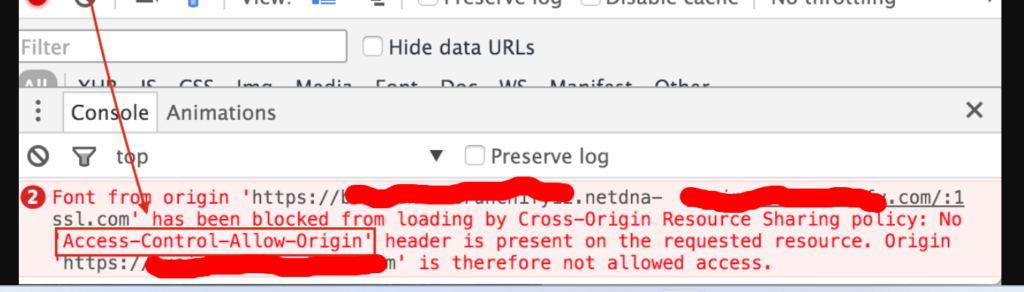
In Vite, solving CORS issues during development is straightforward using its built-in proxy functionality. Here’s how to set up a proxy in your Vite project:
1. Configure Proxy in vite.config.js:
- Locate your
vite.config.jsfile (usually in the project root). - Add the
server.proxyoption to your configuration object. It expects an object where:- Keys are the paths in your frontend code that should be proxied. You can use regular expressions with a
^prefix. - Values are objects with the following properties:
target: The URL of the target server (API) you want to proxy requests to.- (Optional)
changeOrigin: Set totrue(default) to modify theOriginheader to match the frontend’s origin.
- Keys are the paths in your frontend code that should be proxied. You can use regular expressions with a
Here’s an example configuration:
export default defineConfig({
  server: {
    proxy: {
      // Proxy requests to /api/* to https://api.example.com
      '/api/*': {
        target: 'https://api.example.com',
        changeOrigin: true,
      },
    },
  },
});
2. Make API Requests:
In your React components, make fetch requests to the proxied paths (/api/...) instead of directly to the target API URL. For example:
fetch('/api/users')
    .then(response => response.json())
    .then(data => console.log(data));
Important Notes:
- Proxying requests can introduce security vulnerabilities, so use it cautiously in production environments.
- The proxy is only active during development when you run
vite. - Remember to configure CORS headers on your target server for production deployments.