Create a Zoho CRM Account
Start by creating a Zoho CRM account if you don’t already have one. Once you have an account, go to the Zoho CRM API console to generate a client ID and client secret. These credentials are essential for authenticating your API requests
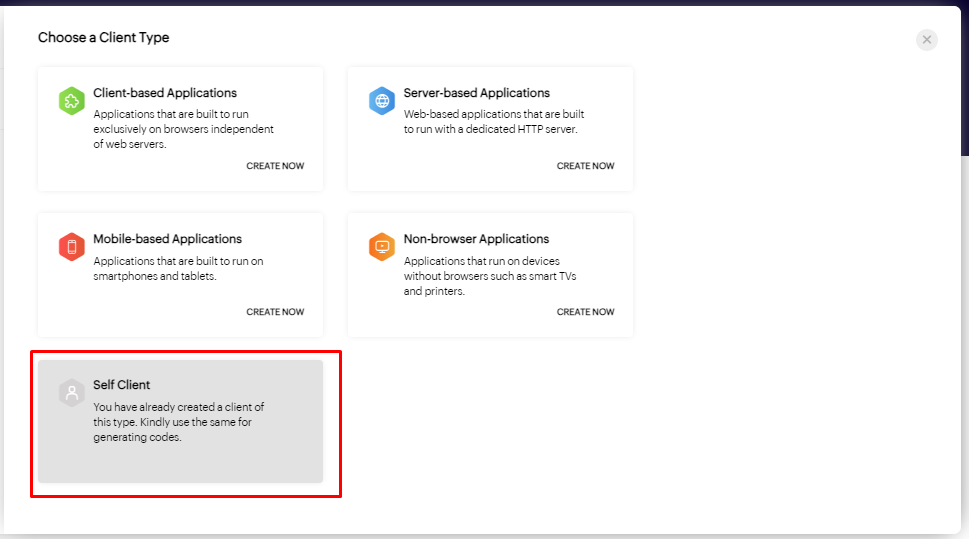
Then choose client. I already chosen Self Client.
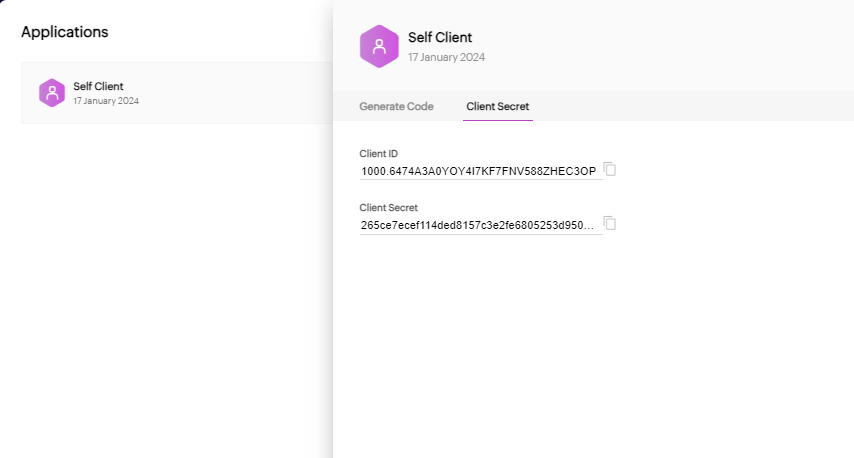
Then you will get the this screen with Client ID and Client Secret.
Set Up API Access Scopes
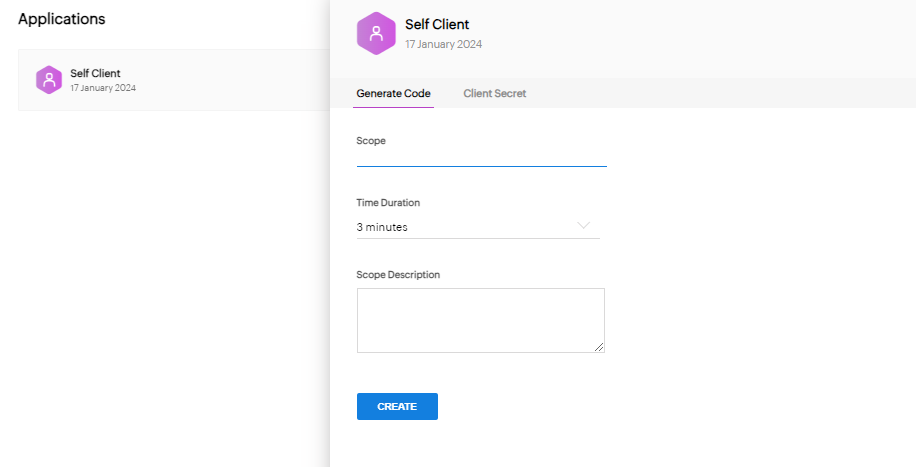
In order to get data you need have code which give access to modules of the Zoho. Like Leads etc. So Specify Scope, duration and discription.
API scopes determine the level of access you have to Zoho CRM API. To configure the necessary scopes for lead insertion, refer to the Zoho CRM API documentation. It will guide you on obtaining the required scopes for inserting records
Get scope: https://www.zoho.com/crm/developer/docs/api/v6/scopes.html
Authenticate and Get Access Token with Postman
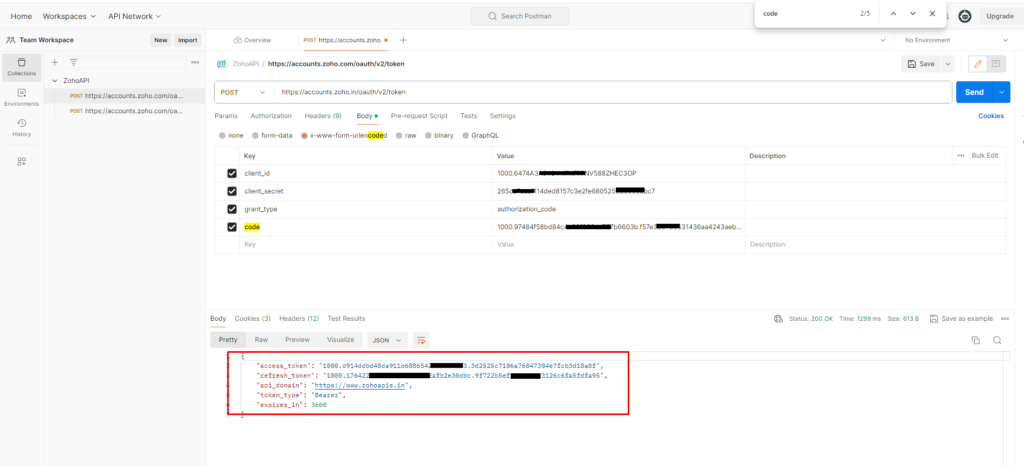
Postman is a tool used to develop and test APIs. Open Postman and create a new POST request using the URL provided by Zoho CRM. Set up the required headers and provide the scope code (which is the temporary one you created in the previous step), redirect URI, client ID, client secret, and authorization code as body parameters. This request will give you an access token, refresh token, API domain, token type, and expiration details
Note: Check this docs chooing your URL: https://www.zoho.com/crm/developer/docs/api/v2/access-refresh.html. This will change based on you country and need.
Get the Refresh Token
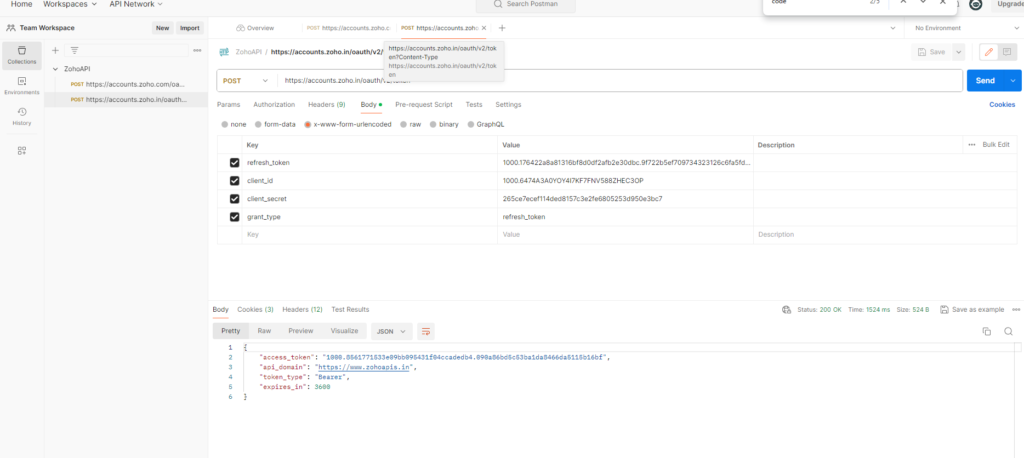
Sample code example:
Please check below docs for detailed information on Docs.