So I want to pass argument to component and get dynamic dashboard item wrapper.
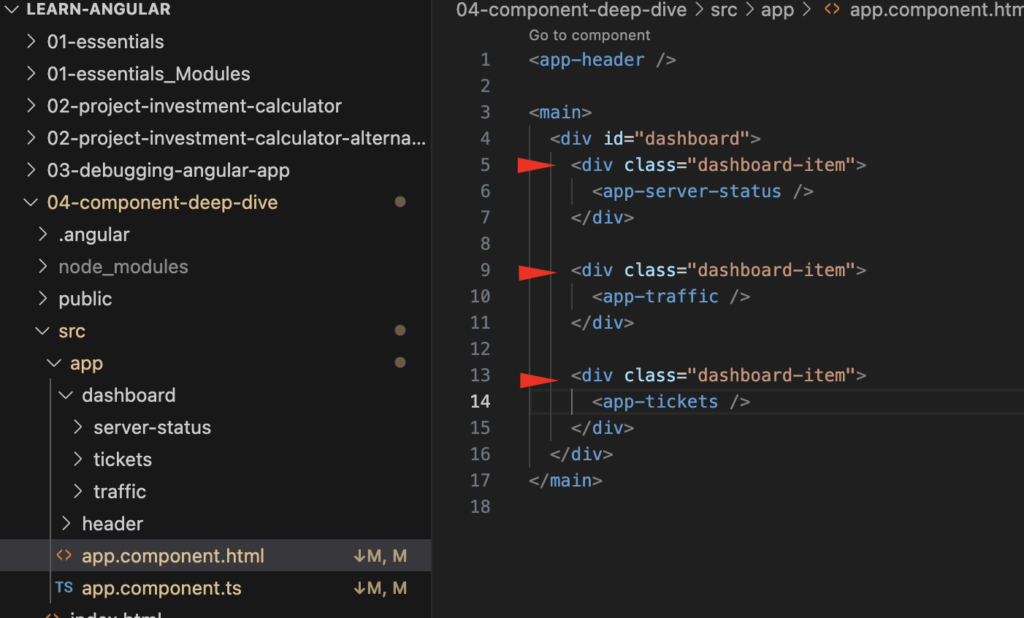
Before:
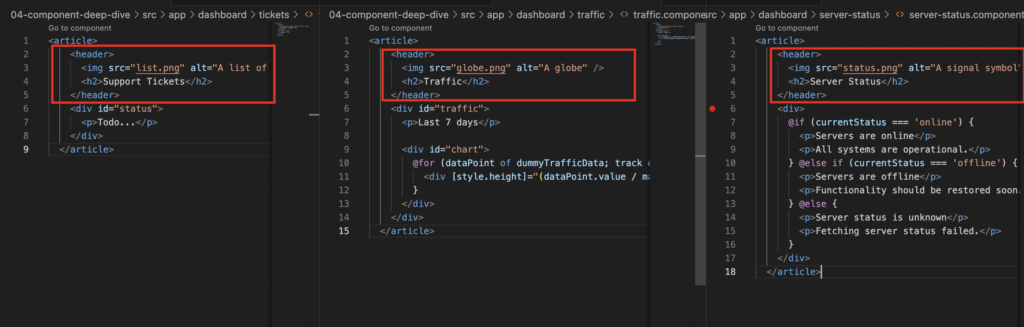
Child component:
In child component we can see the header element repeating in reach component so we are going to change this component to single wrapper component named dashboard-item.
After using wrapper component:

So in app.component.ts, we have to import all components we are using in HTML.
imports: [HeaderComponent, ServerStatusComponent, TrafficComponent, DashboardItemComponent, TicketsComponent],
In HTML template:
<app-header />

<main>
  <div id="dashboard">

    <app-dashboard-item [image]="{src:'status.png', alt:'A signal symbol'}" title="Server Status" >
      <app-server-status />
    </app-dashboard-item>

    <app-dashboard-item [image]="{src:'globe.png', alt:'A globe'}" title="Traffic" >
      <app-traffic />
    </app-dashboard-item>

    <app-dashboard-item [image]="{src:'list.png', alt:'A list of items'}" title="Support Tickets" >
      <app-tickets />
    </app-dashboard-item>

  </div>
</main>
In dashboard-item.component.ts file, we define two values we get as arguments from the parent component.
import { Component, input, Input } from '@angular/core';

@Component({
  selector: 'app-dashboard-item',
  standalone: true,
  imports: [],
  templateUrl: './dashboard-item.component.html',
  styleUrl: './dashboard-item.component.css'
})
export class DashboardItemComponent {
  // @Input({required:true}) image!: {src: string, alt: string};
  // @Input({required:true}) title!: string;

  image = input.required<{src: string, alt:string}>()
  title = input.required<string>()

}
In HTML template we are using these value in properties.
<div class="dashboard-item">
    <article>
        <header>
          <img [src]="image().src" [alt]="image().alt" />
          <h2>{{title()}}</h2>
        </header>
        <ng-content />
    </article>
</div>